

- 优先使用json工作流,方便手动安装缺失的节点
- manager搜索不到,手动安装使用git pull 命令
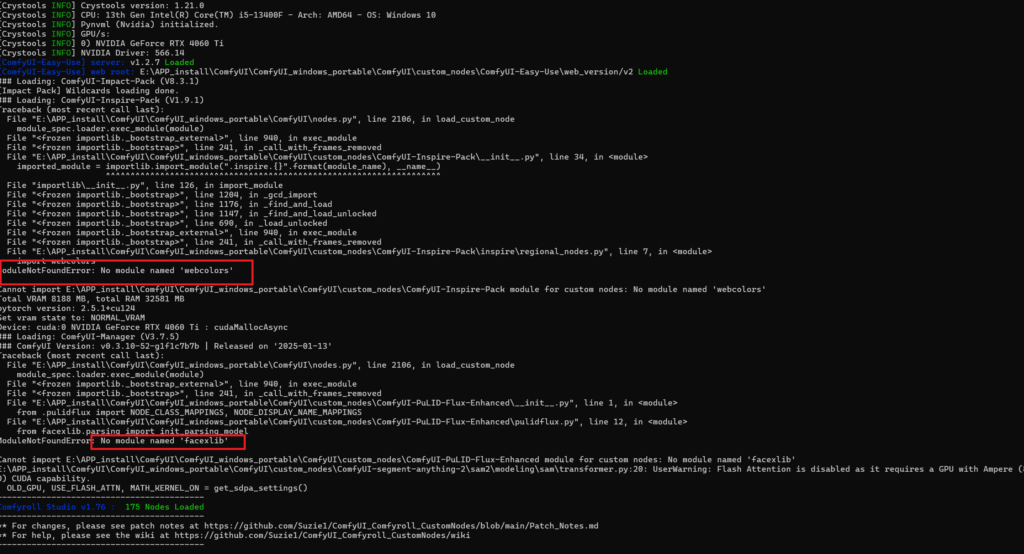
- 导包错误 使用pip安装缺失模块
- 手动安装缺失模块
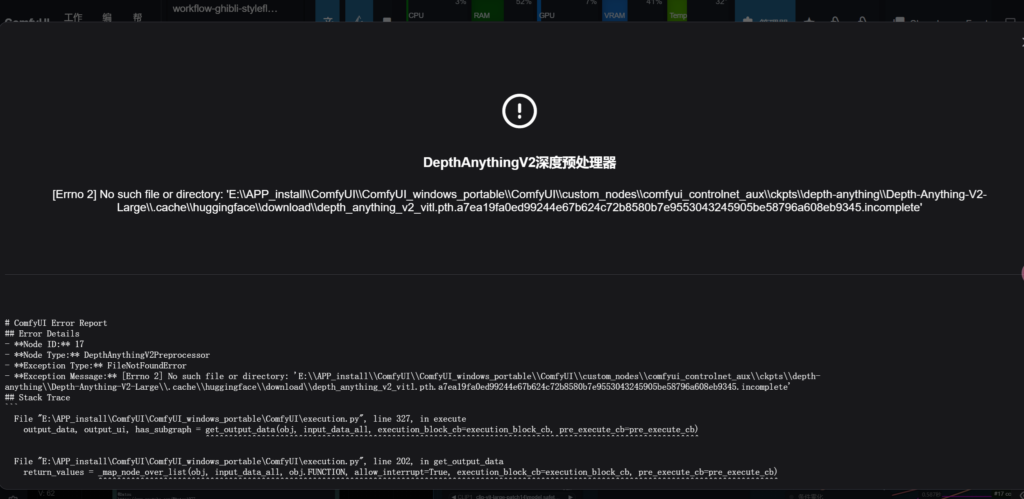
- 路径过长错误
最重要的是看日志
E:\APP_install\ComfyUI\ComfyUI_windows_portable\python_embeded\python.exe
<!--检查安装  -->
E:\APP_install\ComfyUI\ComfyUI_windows_portable\python_embeded\python.exe -c "import insightface"


E:\APP_install\ComfyUI\ComfyUI_windows_portable\python_embeded\python.exe -m pip install insightface==0.7.3


E:\APP_install\ComfyUI\ComfyUI_windows_portable\python_embeded\python.exe -c "import insightface"
手动安装whl文件
检查是否成功
E:\APP_install\ComfyUI\ComfyUI_windows_portable\python_embeded\python.exe -c "import facexlib"
E:\APP_install\ComfyUI\ComfyUI_windows_portable\python_embeded\python.exe -c "import filterpy"
python whl轮子网站:
https://www.piwheels.org/packages.html
https://huggingface.co/hanamizuki-ai/insightface-releases
<!--替换成你的python embeded路径,比如缺少insightface包 -->

E:\APP_install\ComfyUI\ComfyUI_windows_portable\python_embeded\python.exe -m pip install insightface

<!--以上命令执行失败,从https://www.piwheels.org/packages.html手动下载insightface替换成你的whl文件路径  -->
E:\APP_install\ComfyUI\work_tree\flux\insightface-0.7.3-cp311-cp311-win_amd64.whl
报错:PulidFluxInsightFaceLoader
在antelopev2.zip处下载了文件到“ComfyUI\models\insightface\models\”这个目录下,然后进行解压安装,解压后的路径是“ComfuUI\models\insightface\mode ls\antelopev2\antelopev2\”,然后路径下的文件全部剪切到了“ComfyUI\models\insightface\models\antelopev2\”里重启就正常了。说明在软件进行解压时,多了一层目录
路径内容过长:在 PowerShell 中输入以下命令以启用长路径支持:
New-ItemProperty -Path "HKLM:\SYSTEM\CurrentControlSet\Control\FileSystem" -Name "LongPathsEnabled" -Value 1 -PropertyType DWORD -Force